

Short Information : PPU UG Semester 3rd Result Session 2024 to 28 Patliputra University (PPU), Patna, has announced the results for the Undergraduate (UG) 3rd Semester examinations (held in 2026) for the B.A., B.Sc., and B.Com. regular courses, pertaining to the academic session 2024–28. These examinations were successfully conducted by the university across the district at designated examination centers between January 17, 2026, and January 22, 2026. The results for all eligible students of the UG Semester 3 examination (Session 2024–28) were released on March 15, 2026. Students can download their results online from the official portal of Patliputra University: ppup.ac.in. For official updates, please visit IndianSarkari2026. A direct download link is provided below.
Patliputra University (PPU), PatnaPPU UG Semester 3rd Result Session 2024 to 28 |
PPU UG Semester 3rd Result Session 2024 to 28 Overview
| University Name | Patliputra University, Patna (PPUP) |
| Session | 2024 to 28 |
| Semester | 3rd |
| Course | UG (B.A, B.Sc and B.Com) |
| Exam Date | 17 January 2026 to 22 January 2026 |
| Result Status | OUT |
| PPU Semester 3 Result Released Date | 15 March 2026 |
| PPU Result Download Link | ppup.ac.in |
| Helpline Number | 8539856605 |
| Helpline Email | ppup@helpenable.com |
How to Download PPU UG Semester 3rd Result Session 2024 to 28 ?
The following easy and simple steps outline how to download the results for the Patliputra University Semester 3 Examination 2026 online:
- Open the official portal of Patliputra University, i.e., https://www.ppup.ac.in.
- In the upper section of the homepage, click on the “Result Portal” link located within the navigation section.
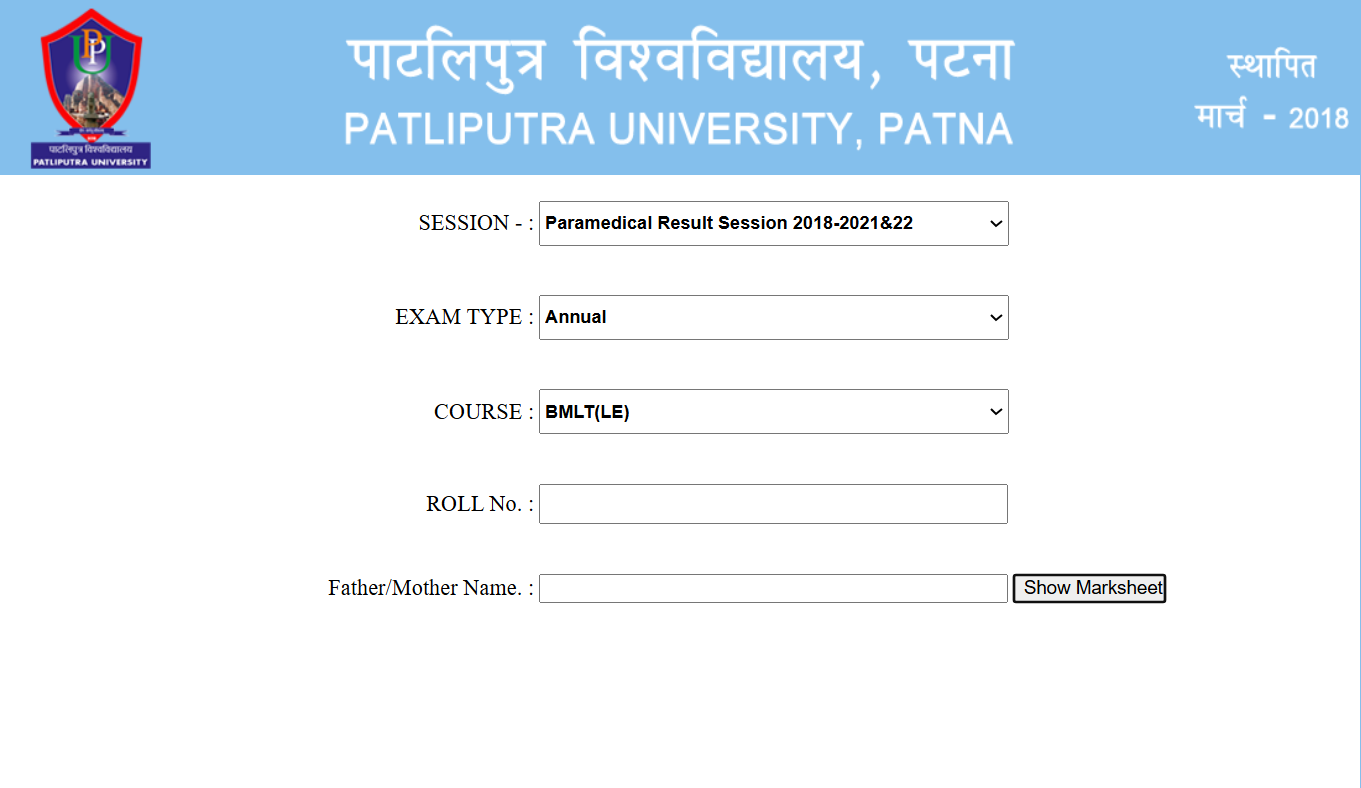
- You will be redirected to the Patliputra University Semester 3 Examination (Session 2024-28) Result Portal.
- On the Result Portal, select your Session, Exam Type, and Course under the ‘Result Download’ section; additionally, accurately enter your Roll Number in the designated input box.
- Finally, click on the “Show Marksheet” button to download your result from the PPUP server.
PPU UG Semester 3rd Result Session 2024 to 28 Important Download Link
| Download Result | Click Here |
| Official Website | Click Here |
FAQ for PPU UG Semester 3rd Result Session 2024 to 28
Q1. When was the PPU UG Semester 3 Result 2024–28 released?
Answer: Patliputra University (PPU), Patna released the UG Semester 3 Result for B.A., B.Sc., and B.Com (Session 2024–28) on 15 March 2026 on its official website ppup.ac.in.
Q2. How can I download the PPU UG Semester 3 Result 2024–28?
Answer: Follow these steps to download the result:
Visit the official website ppup.ac.in.
Click on the Result Portal link on the homepage.
Select your Session, Exam Type, and Course.
Enter your Roll Number correctly.
Click on Show Marksheet to view and download your result.
Q3. Where can students check the PPU Semester 3 Result 2024–28?
Answer: Students can check their result on the official website ppup.ac.in or through updates available on indiansarkari.com.
Q4. When were the PPU UG Semester 3 exams conducted in 2026?
Answer: The UG Semester 3 examinations for Session 2024–28 were conducted from 17 January 2026 to 22 January 2026 at various examination centers.
Q5. Which courses are included in the PPU Semester 3 Result 2024–28?
Answer: The result includes Undergraduate courses such as B.A., B.Sc., and B.Com (Regular) under Patliputra University.
Q6. What details are required to check the PPU Semester 3 Result?
Answer: Students need their Roll Number and course details to check and download the result from the Result Portal.
Q7. How can students download the PPU Semester 3 Marksheet?
Answer: After entering the Roll Number on the Result Portal, click on Show Marksheet. The digital marksheet will appear on the screen, which can be downloaded or printed.
Q8. What should students do if there is an error in the PPU Semester 3 Result?
Answer: If students find any mistake in their result or marksheet, they should immediately contact their college or the examination department of Patliputra University.
Q9. What is the helpline number for PPU Result related queries?
Answer: Students can contact the PPU helpline at 8539856605 or email ppup@helpenable.com for result-related assistance.
Q10. What is the direct link to download the PPU UG Semester 3 Result 2024–28?
Answer: Students can download the result from the official website ppup.ac.in. A direct result link and updates are also available on indiansarkari.com.
